 MAIN
ART
GAMES
EXTRA
BLOG
MUSIC
MAIN
ART
GAMES
EXTRA
BLOG
MUSIC
⠀
Chromarithmography Tutorial.
Start by downloading python 3 from the official website, after downloading and installing it, you will need to install the Pillow library. Open up the command prompt and type in these commands:
python3 -m pip install --upgrade pip
pip install Pillow
Next, download the chromarithmography source code as a .zip file from here. You now have everything installed to start using the program! All you need to know now are some settings.
Open up the program in your text editor of preference, I'll be using Visual Studio Code.

Replace folder_path with the folder where the .py file is. Change color_path with the name of the color palette you want to use, several ones are already included with the program. To make your own color palette, open a text editor, input your hexadecimal values in order separated by a new line (without an #), save it as a .hex file and put it in the program folder.
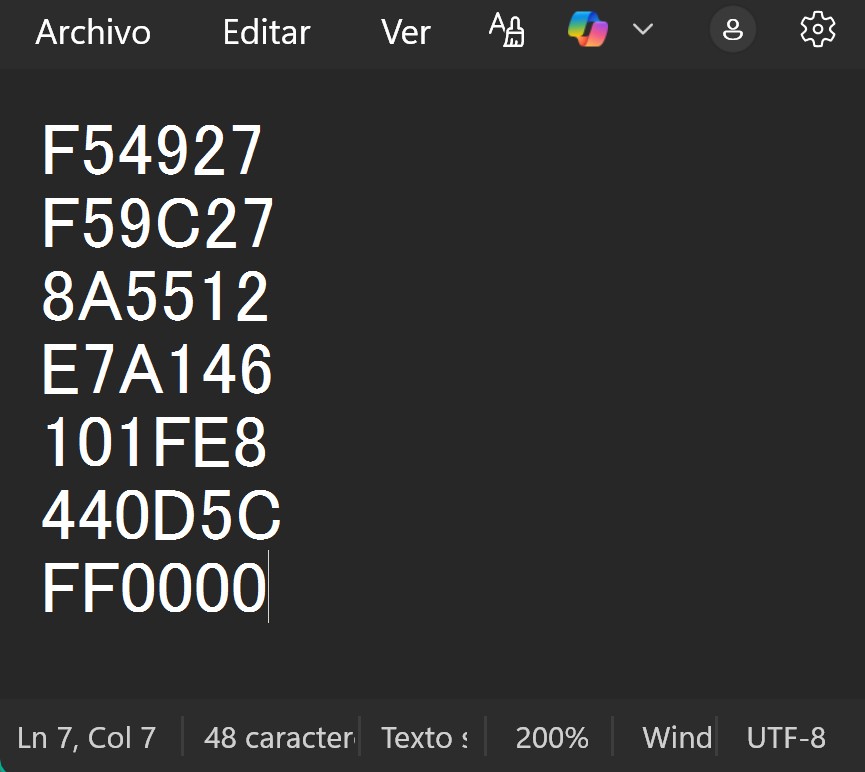
Everything else should already be explained in the program, but here are some rules that might not be as clear:
The maximum number you can input is as follows (not counting the separator): (Size of your palette^2)-1, this means that for a palette with 12 colors, every number over 143 won't be registered.
Decimals are not accepted for obvious reasons.
I recommend using ASCII to encode messages for palettes that have 12 or more colors. The minimum palette size for encoding the alphabet is 6, for which you should use the A0Z25 or A1Z26 cipher.
This should be everything you need to know to start using the program, have fun!